
Description
This demo features a scalable Wheel of Fortune game loop built strictly according to professional technical constraints. Key highlights include Scriptable Object integration for dynamic content, DOTween animations, and a lean UI hierarchy optimized for performance across multiple mobile resolutions.
README
🎡 Wheel of Fortune - Game Developer Demo
A high-performance, scalable "Wheel of Fortune" game built in Unity 2021 LTS. This project was developed as a technical demo, focusing on clean code (SOLID), reusable UI architecture, and dynamic game configurations.📋 Project Overview
The game is a "risk vs. reward" gambling mechanic where players spin wheels to collect rewards while avoiding the bomb.- Core Loop: Spin → Collect or Lose All → Decide to Cash Out or Risk More.
- Dynamic Zones
- Standard Zones: High risk with a bomb slice.
- Safe Zones (Every 5th): Risk-free silver spin.
- Super Zones (Every 30th): Risk-free golden spin with premium rewards.
🛠️ Technical Implementation (The "Conditions")
- Clean Code & Architecture
- Implemented using SOLID principles and OOP concepts.
- Scriptable Objects used for wheel configurations (stages, rewards, configs).
- DOTween utilized for smooth, performance-friendly UI animations.
🎮 Gameplay Demonstration
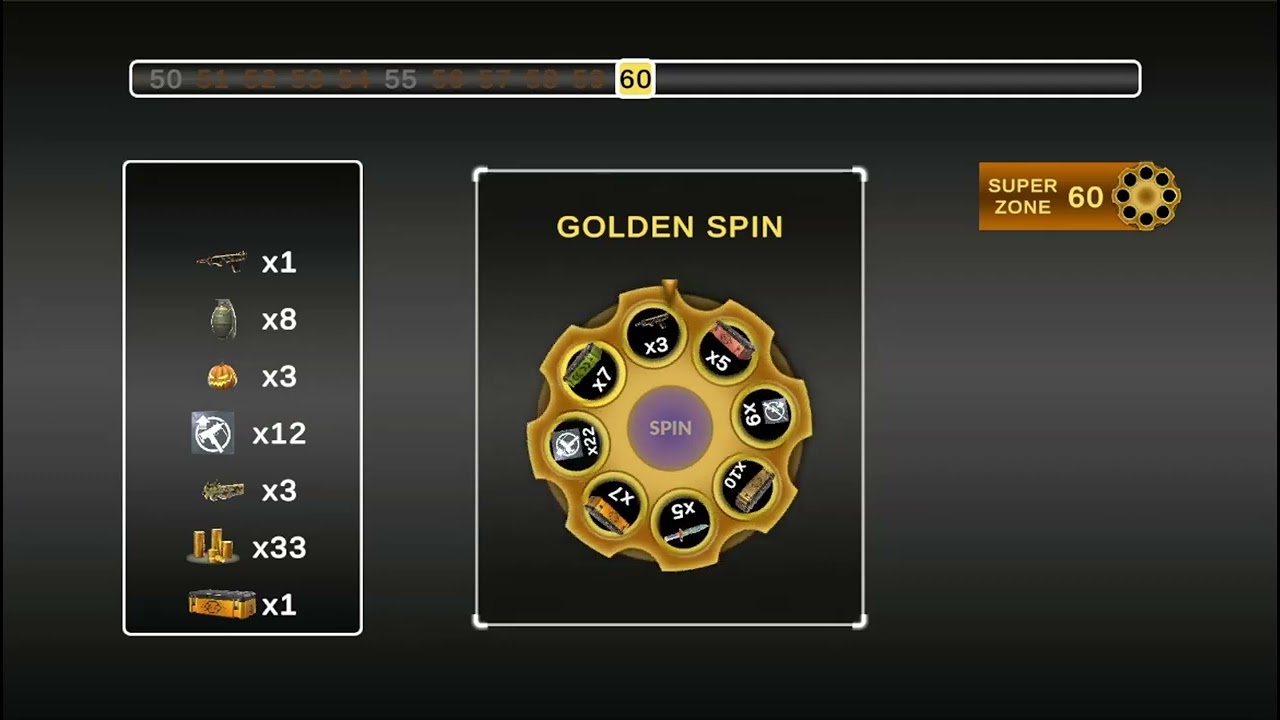 Click above to watch the gameplay video
📸 Multi-Aspect Ratio Screenshots
|
Resolution 16:9 |
Resolution 20:9 |
Resolution 4:3 |
📦 Deliverables
- Source Code: Available in this repository.
- Android Build: Download Latest APK (Release)
⚙️ How to Run
- Clone this repository.
- Open the project in Unity 2021.3 LTS.
- Load the SampleScene located in Assets/Scenes/.
- Press Play or build for Android to test.